Design a workflow
Open Loom → Map → Design workflow to edit the software development blueprint. The editor opens with a synthetic document-import retry example. Its overview connects Intent, semantic decomposition, the conditional task plan, parallel orchestration, evidence review, implementation and the decision ledger.
This is a first authoring layout. The sample and its editable nodes are local to the browser.
Map → Workflows → Local blueprints also opens Atelier’s illustrated story, animated lesson and captioned excerpt. Each recipe has its own editing buffer and export. Select Direction & storyboard to follow the approval or correction path. In Picture production, inspect the recipe’s preparation, output and review. Editorial cut connects the timeline to its render and review cut. These locally editable graphs describe the production design. Use Open in Atelier to open the corresponding brief.
The folding Map on the left follows the nested workflows. Its minimap outlines the current viewport. Collapse the Map to give the graph its width back. Selecting a node reopens the right-hand detail panel. Drag its divider or use the arrow keys to resize it.
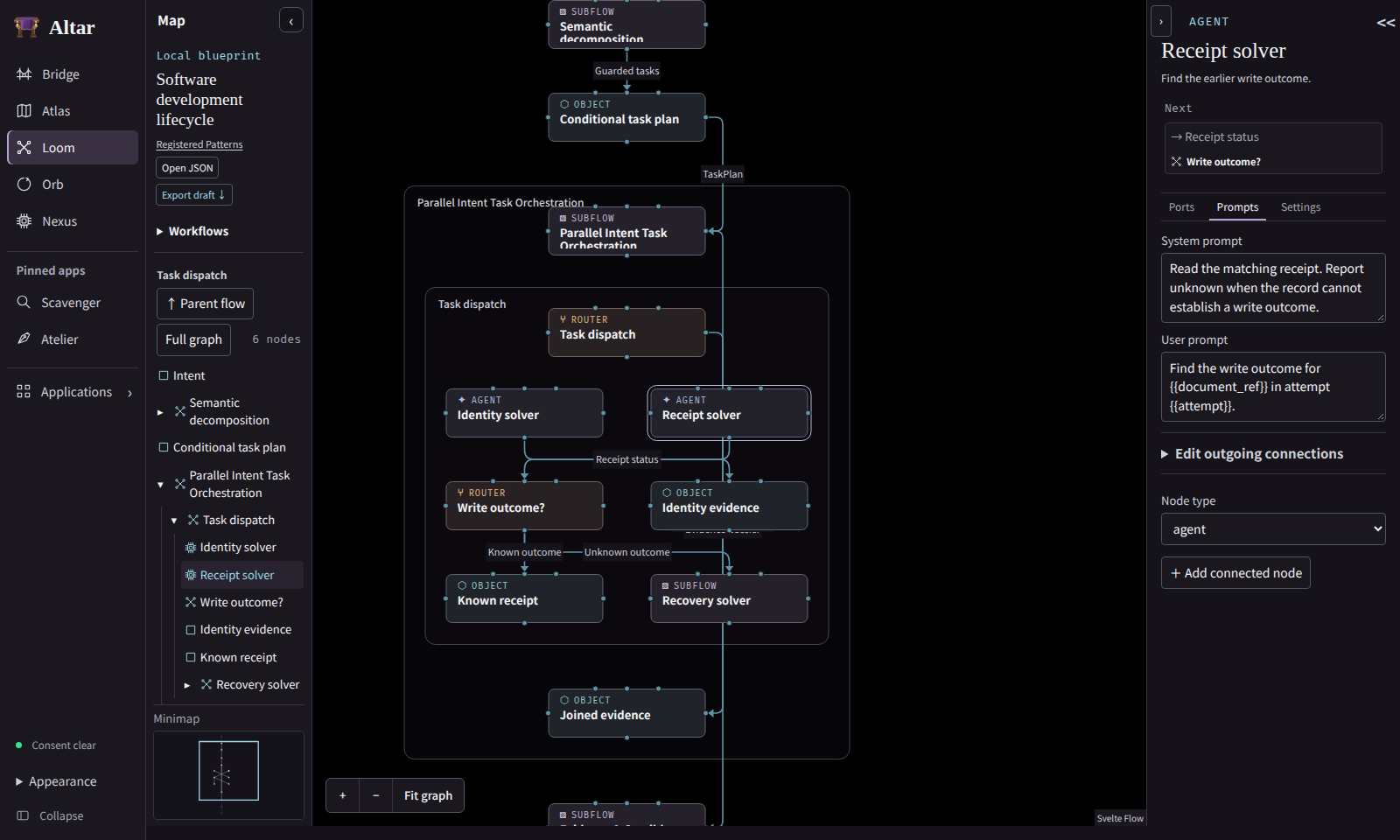
Select a node on the graph or in Browse nodes. Follow Previous or Next to inspect the document or guard on a connection. Explore subflow and Explore router open their declared members inside the surrounding flow. The containing workflow stays framed and the canvas keeps its neighbouring phases and boundary connections. Full graph folds the nested regions back to the overview. In Parallel Intent Task Orchestration, open Task dispatch and follow the unknown write outcome to Recovery solver. Its lookup routes distinguish a file read receipt from unresolved evidence. Parent flow returns to the enclosing node.
In Ports, inspect the inputs, edit output fields and follow the links to connected nodes. An agent’s Prompts view holds its system and user prompts. Settings contains its name, purpose, model, temperature, fallback and declared tools. Add connected node creates a typed successor. Add inside creates a member of the selected router or subflow. Use Edit outgoing connections to change the relationship, guard label or target.
Export draft downloads the current blueprint. Open JSON validates and replaces the working document. Instrument navigation preserves the working draft in this tab. Export before reloading or closing the tab. The blueprint remains local, and tool declarations and prompts are inert. Registered Pattern revisions and Run evidence keep their existing Loom and Orb owners.